During my last internship I had the opportunity to use Ignition's Perspective module by Inductive Automation, which allows for the development of web applications integrated directly with Ignition's feature rich SCADA platform. These applications are developed in a Designer where Views are created visually using drag-and-drop and functionality added on top using a combination of Jython scripting, Bindings, and Messages.
Coming from a different background in web development where "Views" are developed mostly in code, built, and deployed to a server, it was very easy to pick up the basics of Perspective. Many HTML events could be scripted in the Component's Event Configuration. Expressions felt like template strings. Database calls could be made and used across the application through Named Queries. And Messaging worked just emitting from a web socket, just locally on the page between Components.
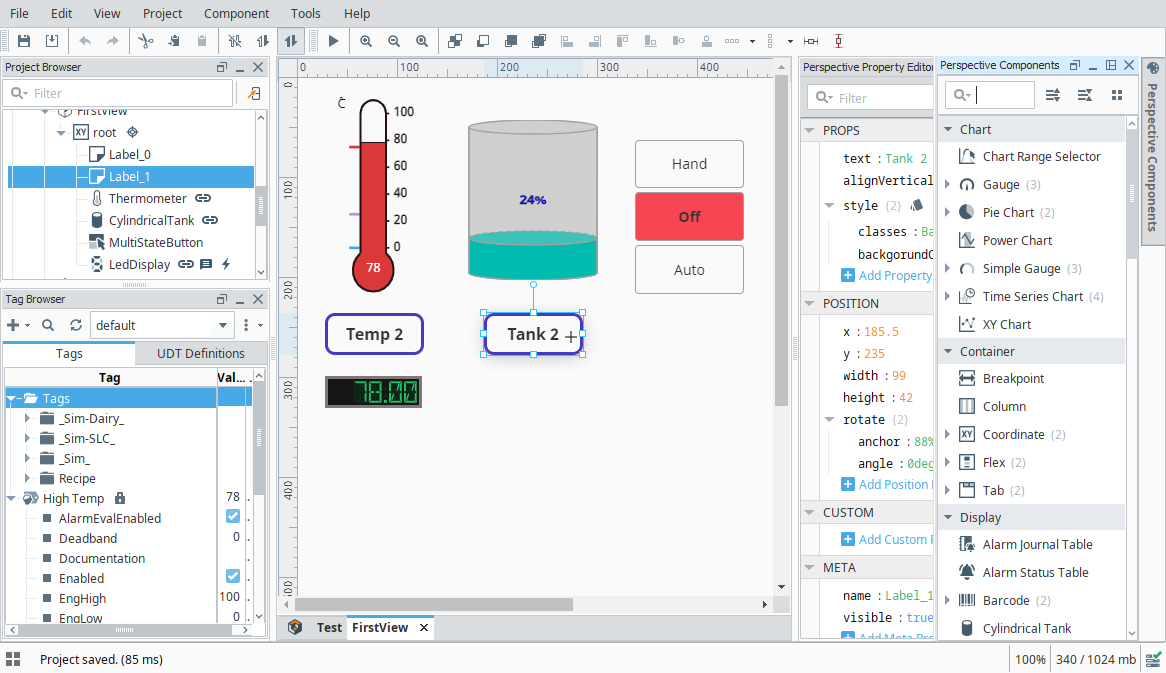
Because of this it was very easy to ask "Is XXXX possible?" and many times the answer was "Yes!" surprisingly. Perspective seemed to follow a similar ideology of the highly popular base/factory building and automation game Factorio, where the developers do a very good job at providing you the basics, which allows for complexity to evolve from simplicity.
Learning to chain all these features that Perspective offers allows for more complex applications using cleaner a lot more elegant solutions the more you understand how data can move around an application.
However, sometimes the provided feature set wasn't enough. So what then? You can submit a feature request to Inductive Automation and wait... alteratively you could take matters into your own hands and develop a third-party module using Ignition's poorly documented SDK using Java, TypeScript, and React.js...
But who said you had to leave the Designer? Through a method of JavaScript injection, a lot of functionality missing in Perspective can be implemented using JavaScript. Sure it's a band-aid fix, sometimes messy, and there's no documentation or examples outside the forums, but it gets the job done in a pinch.
Why?
When I needed to use JavaScript injection, it was mostly because one of two reasons. Either:
- Perspective doesn't provide the functionality I want/need and it's impossible to hack something together outside of JavaScript.
- The solution in JavaScript is actually simpler (to me at least) than working in Perspective and it's Jython scripting language.
For example, for debounced input fields, sure it might be possible to implement it using a weird string of change scripts and properties, but it felt simpler to add an event listener with a debounce function in JavaScript. Or opening the print preview for only a specific Component in a View, where requestPrint() hasn't been added to Perspective until a later version ahead of what I was working on.
How?
You can't add a <script> tag to the page and have it run on page load, and you can't add to <body>'s onload attribute either.
The solution involves using the Markdown Component, and disabling escapeHtml so that any (most) HTML tags can be rendered. But <script> tags also don't work here, neither internal nor external scripts.
One way of getting around this is using an <img> tag and adding JavaScript in the onload attribute. To support newlines, a self-calling function is used.
<img style='display:none' src='/favicon.ico' onload="(() => {
    // Your code here.
})()"></img>
But this still has it's limitations.
- No blank lines can be used within the script
- Using anything else than single quotes can be problematic sometimes.
- In some cases the script runs before child Components and Embedded Views are loaded due to loading order, causing almost a race condition issue.
But it works!
¯\_(ツ)_/¯
There's two ways of interacting with the page. Individual HTML Elements can be modified or Perspective components can be interacted with using Perspective's JavaScript API.
Perspective's JavaScript API
It's completely undocumented and unsupported.
That's right. Zero documentation. The best there you can get is a couple of examples that people have posted on the forums, the rest is up to you.
To reference a component within the API, the component must be found in a huge object representing the page. Below is a recursive function to find a component by its domId provided in the Designer.
function findComponentById(id, views) {
  function searchChildComponents(id, component) {
    const ref = component._ref;
    if (ref && ref.id === id) {
      return component;
    }
    for(const childComponent of component.childComponents) {
      const found = searchChildComponents(id, childComponent);
      if (found) {
        return found;
      }
    }
  }
  for(const view of views) {
    rootComponent = view.value.root
    const found = searchChildComponents(id, rootComponent);
    if (found) {
      return found;
    }
  }
}
const views = [...window.__client.page.views._data.values()];
From here, components can have their props managed, but cannot have their custom methods called due to their server-side nature (I think).
findComponentById('name-input', [...window.__client.page.views._data.values()]);
foundComponent.props.write('value', 'John Doe');

const foundComponent = findComponentById('component', [...window.__client.page.views._data.values()]);
foundComponent._custom.write('custom_parameter', 'value');
Messages can also be sent from the API, but I have not had a case where I have needed to do so yet.
__client.connection.send('send-message', { type: 'message_name', payload: {}, scope: 'page' });Debounced Input Example
One of the more practical ways I've used JS Injection is creating a debounced input field. This is where a value of an input is updated only x milliseconds after the user stops typing. Perspective offers something similar but not exactly what I wanted, where an input's deferUpdates property, when enabled, will only update its value when the user exits/blurs the input field.
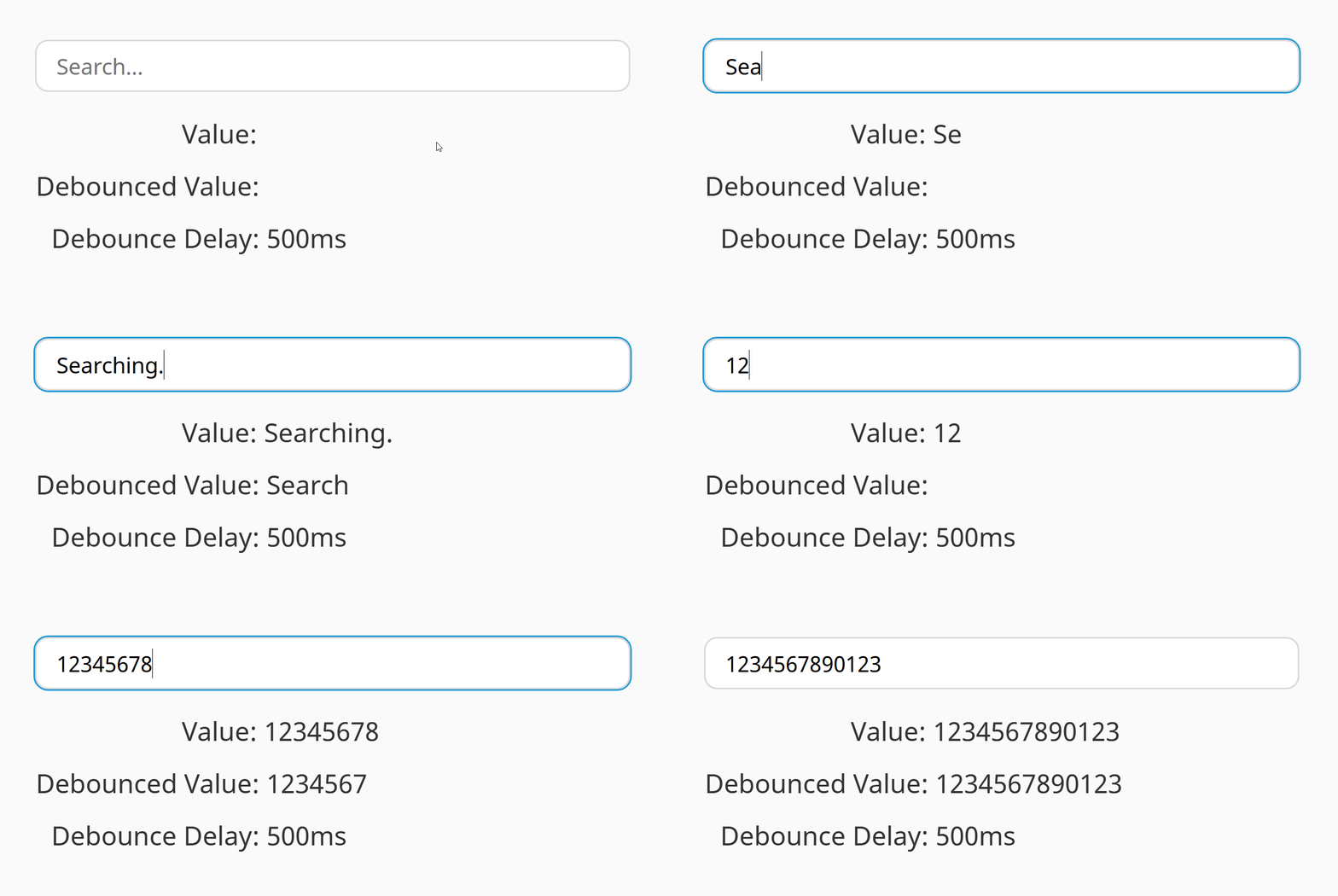
The approach is pretty simple. Fetch a component by it's ID, attach an event listener on it's input event that is debounced, and write to a custom property after a certain delay. Below is the solution I came up with.
<img style="display:none" src="/favicon.ico" onload="(() => {
  function findComponentById(id, views) {
    // ...
  }
  function waitForElement(selector, callback) {
    const initialElement = document.querySelector(selector);
    if(initialElement) {
      callback(initialElement);
      return;
    }
    const observer = new MutationObserver((mutations, observer) => {
      const element = document.querySelector(selector);
      if (element) {
        observer.disconnect();
        callback(element);
      }
    });
    observer.observe(document.body, {
      childList: true,
      subtree: true,
    });
  }
  waitForElement('#data-search', (searchBox) => {
    function debounce(callback, delay) {
      let timeoutId;
      return (...args) => {
        window.clearTimeout(timeoutId);
        timeoutId = window.setTimeout(() => {
          callback(...args);
        }, delay);
      };
    }
    searchBox.addEventListener('input', debounce((event) => {
      const searchComponent = findComponentById('data-search', [...window.__client.page.views._data.values()]);
      searchComponent._custom.write('debounced_value', event.target.value);
    }, 300));
  })
})()"></img>
Within the Designer, the debounced_value property can be bound or have a Change Script attached to it.
Ignition's SDK
Through the brief time I had to explore the possibilities of Ignition's SDK, I've realized that a lot the ways I've using JS Injection can be made with Ignition's SDK as third-party modules that add Perspective components. In fact, that's actually what I did in my ignition-perspective-components GitHub repository. Because the SDK uses Java as a "backend" and uses TypeScript and React.js for Perspective components, I felt right at home with both ends being part of my strong suit.
These components typically run faster and are more reliable than depending on custom props which can often times disappear at random due to Designer bugs.
Of course, using the SDK seems to be the end-all be-all solution to many of the shortcomings of Perspective and the Designer, but I found it quite fun coming up with different solutions using JavaScript and often joked about how it probably should be taken away from me.
Ignition is way more feature-rich and can do a lot more than what I've had the chance to work with. PLC tags, Vision client development, Alarms, Reporting, and the Web Dev module are all things that I haven't worked with, at least not extensively, but seem very useful when it comes to developing applications in an industrial setting.
Overall, my experience this last internship has been great. I was able to learn a lot of new things, test and apply knowledge I had picked up just my latest two college semesters, and utilize some of my strong suits. It's an experience I'm grateful for and is an important stepping stone as I start my career.